Instrument Adjusting Headquarters®
Home of the world’s most technologically advanced and scientifically developed Chiropractic adjustment instruments.
Global leader in chiropractic innovation.
GLOBAL LEADER IN CHIROPRACTIC INNOVATION
The world’s most technologically advanced and scientifically developed adjustment instruments.
Founded in Science
Impulse® represents a sophisticated line of research based and scientifically validated FDA Registered under medical devices, endorsed by the International Spine Research foundation.
Patented Technology
Patented technology with artificial intelligence enabled through intuitive thrust sensors to identify resident frequency and deliver a precise harmonic thrust while normalizing preload subjectivity.
Ease of Integration
Converting your patients/practice to Impulse adjusting, is the easiest and most transformational move you can make in the modern chiropractic arena, to improve care and your bottom line.
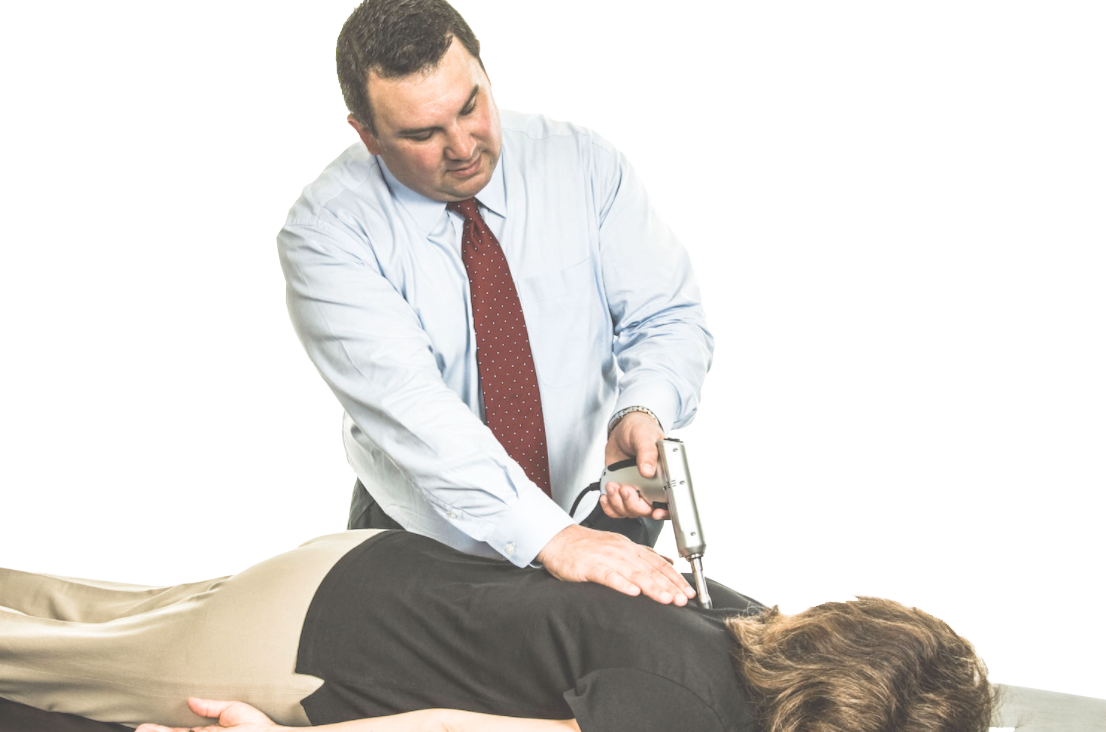
Game Changer for Doctor and Patient
Impulse launched in the fall of 1999, doctors seamlessly integrated the device within their practice and quickly realized three key differences between Impulse and other mechanical adjustment instruments.
- Quantifiably faster more accurate adjustments.
- Impulse effectively addresses TMJ, the toes and everything in between.
- Patient experience, better results & more referrals.
Today, patented technology within Impulse IQ® is dynamically monitoring, sensing and altering the force and pulse rate to match the patient’s resident frequency in real time. Each Impulse thrust was highly calibrated and precise based on feedback from the prior thrust. Impulse eliminates the guess work surrounding movement and stiffness revolutionizing the adjustment for both doctor and patient.
Who Uses Impulse
Doctors Worldwide
Countries Globally
Adjustments Per Year
During my 42 years of practice, I have utilized several techniques with very good results. None compares to the results I have achieved with the Impulse iQ. Over the last six years, I have tracked the following outcomes for all my patients: visual analogue scale, ADL outcome measures, computerized ranges of motion, computerized muscle testing, and computerized algometry. Of those, nearly 400 have followed through for retesting. The results have been consistently outstanding. Before the patient’s first adjustment, I can look them in the eye and tell them with certainty they will have increased range of motion, increased muscle strength, and decreased inflammation immediately after their adjustment. When they witness these results, they are amazed, and many will follow through with the recommended care and become lifetime patients. If you are looking for a technique that will provide you with total confidence and technical certainty in both spinal and extremity adjusting, Impulse iQ is it!
Talk With An Expert
Ask the NMI Practice Advisor:
- Why informed practitioners are flocking to instruments adjustment
- What separates Impulse apart from all other instruments
- How Impulse differentiates your practice and stimulated referrals
- Where you can review the scientific research and White Papers
- Which Impulse option(s) may best serve your practice
- Everything you need to know about implementing Impulse
- How Impulse improves compliance, result and your bottom line
Reach Us
World Headquarters
783 County Route 3
Fulton, NY 13069
Sales & Service
101 S Roosevelt Avenue
Chandler • AZ • 85226
480.785.8448
888.294.4750

Repair & Service Issues: Please click HERE for the return and repair portal.